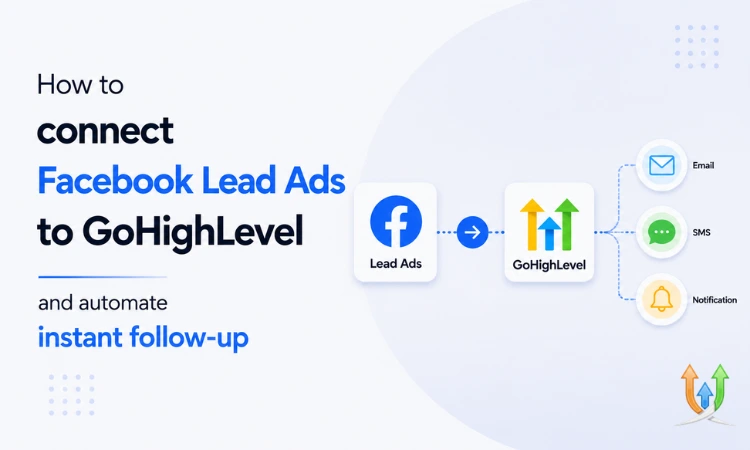
How to Connect Facebook Lead Ads to GoHighLevel and Automate Instant Follow-Up
Facebook Lead Ads look great on paper. Someone clicks an ad, fills out a form without ever leaving Facebook, and you've got a lead. No landing page. No friction. No bounce.
Then the lead just sits there. In Facebook's native form library. Until someone remembers to log in and check.
That's the gap. The ad does its job. The follow-up doesn't. By the time most businesses get around to calling, the lead's already talked to 2 competitors and forgotten which ad they even clicked.
GoHighLevel fixes this by pulling the lead straight into your CRM the second the form gets submitted. No checking a dashboard. No exporting a CSV at the end of the week. The lead lands in your pipeline and your automation takes it from there.
Why Facebook leads go cold faster than other leads
A lead who fills out a Facebook form is in scroll mode, not buying mode. They saw an ad, tapped it, gave you their number, and kept scrolling. They're not sitting by the phone waiting for your call like someone who filled out a contact form on your website at 2am because they actually needed your service.
That means the window to reach them is shorter. 5 minutes matters here way more than it does with other lead sources. If you're calling a Facebook lead a day later, you're calling someone who barely remembers the ad existed.
Connecting Facebook Lead Ads to GoHighLevel
GoHighLevel has a native Facebook integration, so you don't need Zapier or any third-party tool sitting in between. Here's the setup, broadly:
- Connect your Facebook Business Page inside GoHighLevel's integrations settings.
- Authorize the connection and select the ad account tied to that page.
- Map each Lead Ad form to a specific GoHighLevel workflow or pipeline.
- Match form fields (name, phone, email) to the right contact fields in GHL.
- Test with a dummy submission before you turn ad spend back on.
That last step matters more than people think. Field mapping breaks quietly. You won't notice a missing phone number field until 3 weeks of leads come in with blank contact info and nobody's been able to call any of them.
If you're running this across multiple ad accounts or pages, or the mapping keeps breaking on you, it's worth having a GoHighLevel developer set it up once, properly, instead of troubleshooting it every time you launch a new campaign.
Building the instant follow-up workflow
Once the lead lands in GHL, the workflow takes over. A solid setup looks something like this:
- An SMS goes out within 60 seconds of form submission. Something short. "Hey [name], got your info on [service]. When's a good time to chat?"
- An email follows right behind it with more detail, in case they don't check texts first.
- If there's no reply in 10 minutes, a phone call task gets assigned to whoever's on duty.
- If there's still no contact after a few hours, the lead drops into a nurture sequence over the next few days instead of getting abandoned.
The point isn't to bombard people. It's to make sure nobody who raised their hand gets ignored because the form sat unread for a day. Studies on speed-to-lead consistently show response times under 5 minutes convert 3 to 5 times better than anything slower. That gap is exactly what this workflow closes.
Don't ignore the phone calls you're missing too
A lot of these leads will call the number on the ad instead of filling out the form, especially once they see your follow-up text and decide it's faster to just pick up the phone. If those calls go unanswered, they don't leave voicemails. They just call the next business on the list.
This is where missed call text back pairs naturally with your Facebook Lead Ads setup. Anyone who calls and doesn't reach you gets an automatic text within seconds, so you're not just catching form leads, you're catching the phone leads too.
Tagging and routing by campaign
Not every Facebook lead is the same lead. Someone who clicked an ad for a free consultation isn't in the same headspace as someone who clicked an ad for a same-day emergency service. Tag contacts by which ad and which form they came through, then route them into different pipelines with different follow-up sequences.
This is also where reporting gets useful. You can see which specific ad is producing leads that actually book, versus which ad is just generating cheap form fills that never answer a text. Without that tagging, every Facebook lead looks identical in your CRM and you're flying blind on which campaigns are worth the spend.
Real estate has its own version of this problem
Real estate agents running Facebook ads for buyer or seller leads deal with an even shorter attention window. Someone clicks "see home values in my area," fills out the form, and if nobody reaches them in the first hour, they've already filled out 3 more forms on competing sites.
If you're in real estate, building this from scratch isn't necessary. The real estate snapshot comes with the pipelines, follow-up sequences, and tagging structure already built for exactly this lead flow. You plug in your Facebook forms and it's running the same day.
If you're running ads for clients, not just yourself
Agencies managing Facebook ads for multiple clients hit a different version of this problem: every client's lead flow needs its own forms, its own pipeline, its own follow-up cadence, without anything bleeding into another client's sub-account. GoHighLevel's structure handles this, but it needs setting up right from the start.
There's more on how agencies structure this across clients in the piece on GoHighLevel for marketing agencies, including how white-labeling fits into the whole setup.
Where this usually goes wrong
The most common mistake is connecting the Facebook integration first and figuring out the workflow logic later. Leads start flowing in before the automation's even built, and the first week of ad spend produces leads nobody followed up with properly.
Build the workflow and test it with dummy leads before you connect live ad spend to it. If you're setting up GoHighLevel for the first time alongside this, the GoHighLevel onboarding checklist covers the order this should all happen in, so the Facebook integration isn't the first domino that knocks everything else over.
Facebook Lead Ads aren't the problem. Leads going cold because nobody's watching the form is the problem. Connect the integration, build the follow-up before you launch, and the same ad spend you're already paying for starts converting at a rate that actually justifies it.
Author Bio
Lead GHL Developer
Harry's been deep in the GoHighLevel world for 7+ years, tackling everything from tricky automations to custom API integrations that make clients' systems hum. If there's a way to tighten a process, he's obsessed with finding it. When he's not coding, he's probably testing new GHL updates way too late at night.