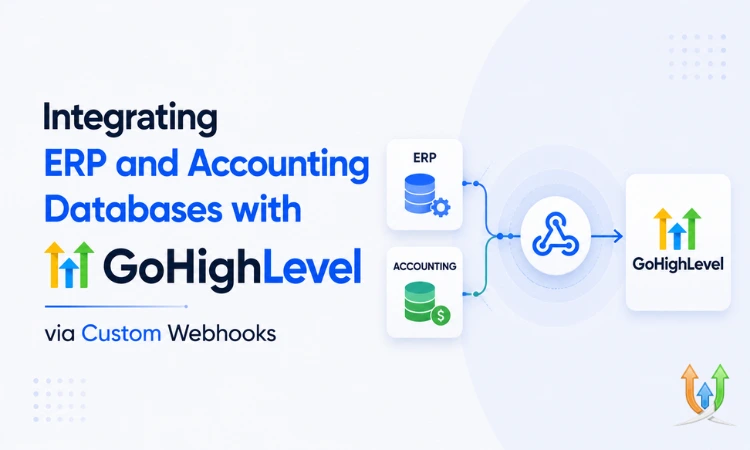
Integrating ERP and Accounting Databases with GoHighLevel via Custom Webhooks
Most businesses running GoHighLevel hit the same wall eventually. The CRM handles leads, pipelines, and follow-up beautifully. Then a deal closes, and somebody has to manually create that customer in QuickBooks, or Sage, or whatever ERP runs the back office. Twice. Sometimes 3 times, once for the invoice and once again when the payment status changes.
That manual re-entry is where data gets wrong. A typo in an invoice number. A customer created twice because nobody checked if they already existed. A payment marked received in the ERP that nobody updated back in GHL, so sales keeps following up on an account that's already paid.
Webhooks fix this by connecting the 2 systems directly, so an event in one triggers an action in the other without a human typing anything twice. If your business is past the point where spreadsheets and manual entry can keep up, this is exactly the kind of build a GHL developer sets up once and then it just runs quietly in the background for years.
Why ERP and GoHighLevel Don't Talk to Each Other Natively
GoHighLevel is built for the CRM and marketing layer of a business. ERPs like QuickBooks, NetSuite, Sage, or Odoo are built for the financial and inventory layer. They were never designed with each other in mind, and there's no native, built-in connector between them inside GHL's settings.
That gap is normal. Most CRMs and most ERPs exist in separate worlds, built by different companies for different purposes. The connection between them has to be built, either through a webhook pipeline, a middleware tool like Zapier or Make, or a direct API integration depending on how much volume and complexity you're dealing with.
What Actually Flows Between the 2 Systems
Before building anything, get specific about what data actually needs to move and in which direction. The usual flows look like this:
- A deal marked "won" in GHL's pipeline creates a new customer record and invoice in the ERP.
- A payment recorded in the ERP updates the contact's status or tag back in GHL, so sales and support know the account is paid.
- Inventory or product data from the ERP syncs into GHL so sales reps aren't quoting something that's out of stock.
- A refund or chargeback in the ERP triggers a workflow in GHL to flag the account or pause active follow-up sequences.
Notice this isn't one-directional. Data needs to move both ways, which means you're not just building a single webhook. You're building a pipeline with logic running on both ends.
How the Webhook Side of This Actually Works
From GoHighLevel's side, this starts with a workflow trigger. When a deal moves to "won" in the pipeline, that workflow fires a webhook action, sending a payload (customer name, deal value, products, contact details) to a URL you control.
That URL is typically a small middleware endpoint, not the ERP directly. The endpoint receives the GHL payload, reformats it into whatever structure the ERP's API expects (these rarely match), and pushes it through. Most ERPs don't accept raw GHL webhook payloads as-is, so this translation layer is doing real work, not just passing data through unchanged.
Going the other direction, when something changes in the ERP (a payment clears, an invoice gets voided), that system needs to either fire its own webhook back to a GHL-facing endpoint, or you poll the ERP's API on a schedule if it doesn't support outbound webhooks. Plenty of older ERPs don't. That's usually the harder half of this build.
Field Mapping Is Where This Gets Genuinely Tedious
The single biggest source of broken integrations here isn't the webhook mechanics. It's field mapping. GHL's custom fields rarely match an ERP's expected fields one to one. A phone number formatted as "(555) 123-4567" in GHL might need to be "5551234567" with no formatting at all for the ERP to accept it. A product name in GHL might need to map to a specific SKU code the ERP actually recognizes.
Map every field deliberately before you write a line of integration code. Don't assume "name" maps to "name" cleanly. Walk through every field on both sides and write down the conversion logic needed, even when it feels obvious. This step alone usually takes longer than building the actual webhook handler.
Handling Duplicate Records and Failed Syncs
2 problems show up in almost every ERP integration eventually, and it's worth planning for both upfront rather than discovering them in production:
- Duplicate customers, because the integration creates a new ERP record every time instead of checking if one already exists for that contact. Always search by email or phone before creating a new record on the ERP side.
- Failed syncs, because the ERP's API timed out or rejected a malformed payload, and now that one deal silently never made it across. Log every webhook call and its response. Build a simple alert (an email or Slack message) for any failed sync, so a missed invoice doesn't sit unnoticed for a week.
Neither of these is optional if you're running real revenue through this integration. A silent failure here means a customer who paid never gets removed from a follow-up sequence, or worse, an invoice that never actually got created at all.
Where Twilio and SMS Notifications Fit In
Once the financial data is flowing correctly, a lot of businesses extend this into notifications. An invoice gets created, and the customer gets an automatic SMS with a payment link. A payment fails, and an SMS goes out reminding them before the account goes to collections.
This piece runs through GHL's Twilio connection, since that's what handles the actual SMS delivery layer underneath these workflows. If you haven't set that up yet, the guide on GHL Twilio integration covers the SMS and calling setup this kind of notification flow depends on.
Letting a Chatbot Handle Billing Questions Before They Hit a Human
A decent chunk of customer messages after an invoice goes out are simple billing questions: "did you get my payment," "can I get a copy of my invoice," "why was I charged twice." If your ERP data is already synced into GHL, a chatbot can answer a lot of these directly using the contact's actual payment status instead of routing every question to a human.
The setup for this is covered in the piece on how to set up a chatbot in GHL, and it pairs naturally with this kind of integration since the bot needs accurate, synced data to actually be useful rather than just deflecting.
Structuring Your Pipeline So the Integration Has Clean Triggers
None of this webhook logic works well if your pipeline stages are vague or inconsistent. "Won" needs to mean the same thing every time, triggered at the same stage, with the same required fields filled in before it fires. If reps are moving deals to "won" before the contract's actually signed, you'll be creating invoices for deals that fall through.
Get the pipeline structure solid first. The guide on pipelines in GoHighLevel is worth reviewing before you build triggers off of stage changes, since a clean, consistent pipeline is what makes the rest of this integration reliable instead of flaky.
When to Bring In a Direct API Integration Instead of Pure Webhooks
Webhooks work well for event-driven triggers, but if you need to pull historical financial reports, reconcile bulk records, or run scheduled syncs across thousands of customers, pure webhooks aren't the right tool anymore. That's API territory, with proper batching, pagination, and rate limit handling built in.
If your integration's grown past a few simple triggers into something handling real financial volume across multiple systems, it's worth having this built properly rather than patched together. GHL API integration services typically cover this exact kind of multi-system build, where webhooks and API calls both have a role and need to work together without stepping on each other.
This isn't a weekend project once your ERP and your CRM both carry real financial weight. But done right, it removes the manual re-entry that causes most of the billing errors businesses deal with, and it means sales, support, and accounting are finally looking at the same numbers instead of 3 slightly different versions of the truth.
Author Bio
Lead GHL Developer
Harry's been deep in the GoHighLevel world for 7+ years, tackling everything from tricky automations to custom API integrations that make clients' systems hum. If there's a way to tighten a process, he's obsessed with finding it. When he's not coding, he's probably testing new GHL updates way too late at night.