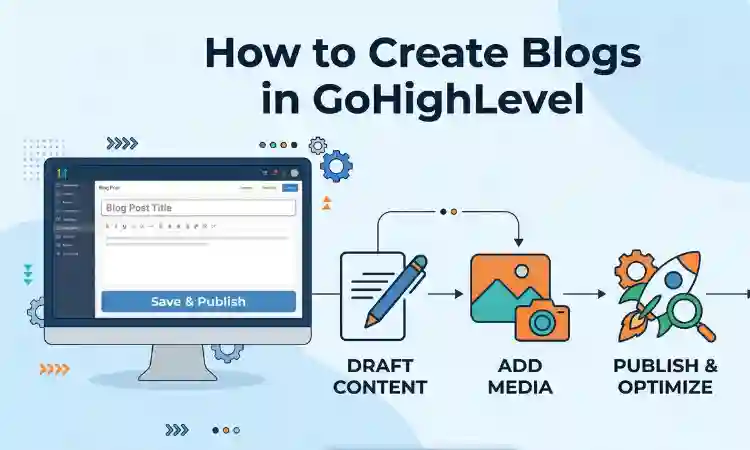
How to Create Blogs in GoHighLevel (Step-by-Step Guide)
GoHighLevel is not just a CRM and automation platform. It also allows you to create and manage blog content directly inside your system. This means you can handle your website, funnels, and content marketing in one place.
If you want to drive organic traffic, build authority, and capture leads through content, blogging inside GoHighLevel is a powerful strategy. This guide walks you through the full process step by step.
Why Use GoHighLevel for Blogging
Creating blogs inside GoHighLevel helps you keep everything in one ecosystem. You can connect blog readers directly to funnels, forms, and automation workflows.
- Capture leads directly from blog pages
- Trigger automation workflows instantly
- Track user behavior and conversions
- Manage content and CRM in one dashboard
Step 1: Enable Blog Feature in GoHighLevel
Before creating blogs, make sure your site or funnel supports blogging.
- Go to Sites in your GoHighLevel dashboard
- Select Websites or Funnels
- Create a new site or open an existing one
- Look for the Blog section or enable blogging feature
Step 2: Create a New Blog Post
Once blogging is enabled:
- Click on Blogs
- Select Add New Post
- Enter your blog title
- Write your content using the editor
- Add images, headings, and formatting
Make sure your content is clear, structured, and valuable for readers.
Step 3: Optimize Your Blog for SEO
SEO is essential if you want your blog to rank on Google. Inside GoHighLevel, you can edit:
- Meta title
- Meta description
- URL slug
- Keywords
Use clear titles, relevant keywords, and compelling descriptions to improve visibility.
Step 4: Add Internal Links
Internal linking improves SEO and keeps users engaged. For example, you can guide readers to related topics like:
This helps search engines understand your content and improves user experience.
Step 5: Add Lead Capture Elements
The real power of blogging in GoHighLevel is converting readers into leads.
You can:
- Add forms inside blog posts
- Embed call to action buttons
- Link to funnels and landing pages
This turns your blog into a lead generation tool.
Step 6: Connect Blogs to Automation
Once a user submits a form or clicks a link, you can trigger workflows. These workflows can send emails, SMS, or assign leads to your team.
For advanced automation setups, you can also use webhooks or external integrations.
Step 7: Publish and Test Your Blog
Before publishing:
- Check formatting and layout
- Test all links and buttons
- Verify mobile responsiveness
- Ensure SEO settings are correct
Once everything looks good, publish your blog.
Best Practices for Blogging in GoHighLevel
- Write clear and helpful content
- Use headings to structure your article
- Include internal and external links
- Optimize for SEO
- Add calls to action
- Publish consistently
Common Mistakes to Avoid
- Ignoring SEO settings
- Not adding lead capture forms
- Writing overly promotional content
- Not linking to other pages
- Skipping mobile optimization
When to Work With a GoHighLevel Expert
If you want to scale content, improve SEO, or connect blogs with advanced automation, working with a professional can help.
You can work with experienced HighLevel developers to build a complete content and automation system.
Final Thoughts
Blogging inside GoHighLevel is a powerful way to attract traffic, build authority, and generate leads. When combined with automation, it becomes a complete growth system.
Start with simple posts, optimize for SEO, and connect your content to workflows. Over time, your blog can become one of your strongest marketing assets.
Author Bio
Lead GHL Developer
Harry’s been deep in the GoHighLevel world for 7+ years, tackling everything from tricky automations to custom API integrations that make clients’ systems hum. If there’s a way to streamline a process, he’s obsessed with finding it. When he’s not coding, he’s probably testing new GHL updates way too late at night.