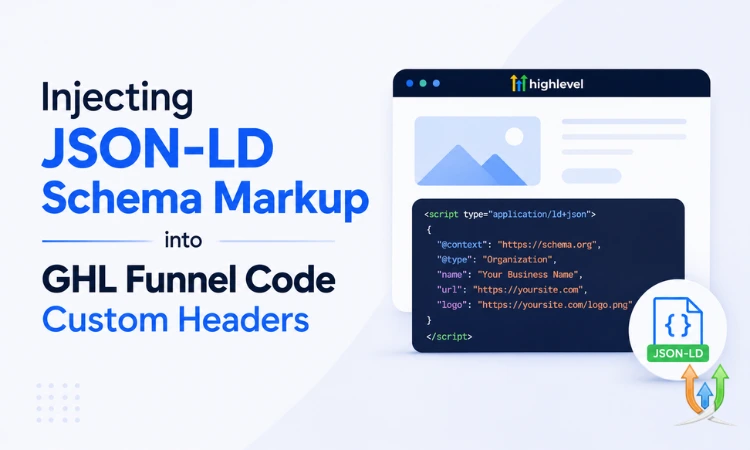
Injecting JSON-LD Schema Markup into GHL Funnel Code Custom Headers
Schema markup is the part of SEO that feels invisible until you see what it actually does. You add a block of structured data to a page, nothing visually changes, and then 2 weeks later your listing shows up in Google with star ratings, an FAQ dropdown, or a price range right in the search results.
GoHighLevel doesn't have a native field for this. There's no "add schema" button in the funnel builder. What you get instead is a custom code header section on every funnel step, and that's exactly where JSON-LD goes. It's a manual process, but it's a 10-minute one once you know the pattern.
If you're not comfortable touching code at all, this is a small enough task that it's worth having a GHL developer handle it once across your key pages rather than guessing your way through it and getting the syntax wrong on a live funnel.
What JSON-LD Actually Is and Why Google Wants It
JSON-LD stands for JSON for Linked Data. It's a structured format Google reads to understand exactly what's on a page, beyond just guessing from the visible text. Without it, Google has to infer that your page is about a service, a product, or a local business by parsing headlines and body copy. With it, you're telling Google directly: this is a LocalBusiness, here's the name, here's the address, here's the phone number, here's the review rating.
That clarity is what unlocks rich results. Star ratings under your search listing. FAQ accordions. Event dates. Product pricing. None of that shows up just because the information exists somewhere on your page. It shows up because you marked it up in a format Google can parse without ambiguity.
Finding the Custom Code Header in GHL
Inside the funnel builder, open the specific step you want to add schema to. Go to Settings, then look for the section labeled Tracking Code or Custom Code, usually split into Header and Footer fields. The Header field is where JSON-LD goes, since it needs to load before the page renders for Google to parse it cleanly.
One important detail: this is set per funnel step, not globally across your whole funnel. If you've got a 5-step funnel and want schema on the landing page and the order confirmation page, you're adding it twice, in 2 different header fields. There's no account-wide schema setting that cascades down automatically.
The Basic LocalBusiness Schema Block
For most service businesses running funnels in GoHighLevel, LocalBusiness schema is the one that matters most. Here's a working example you can adapt:
{
  "@context": "https://schema.org",
  "@type": "LocalBusiness",
  "name": "Your Business Name",
  "image": "https://yourdomain.com/logo.jpg",
  "telephone": "+1-555-123-4567",
  "address": {
    "@type": "PostalAddress",
    "streetAddress": "123 Main St",
    "addressLocality": "Austin",
    "addressRegion": "TX",
    "postalCode": "78701",
    "addressCountry": "US"
  },
  "openingHours": "Mo-Fr 09:00-18:00"
}
Wrap that in a script tag with type "application/ld+json" before pasting it into the header field. Without the script wrapper, the page just renders the JSON as visible text, which looks broken and does nothing for SEO.
FAQ Schema for Funnel Pages With Objection Handling
If your funnel step has an FAQ section addressing objections (a lot of good sales funnels do this right before the call to action), FAQ schema is worth adding separately. It's one of the most visually noticeable rich results, since it adds an expandable accordion right in the search listing.
{
  "@context": "https://schema.org",
  "@type": "FAQPage",
  "mainEntity": [{
    "@type": "Question",
    "name": "How long does installation take?",
    "acceptedAnswer": {
      "@type": "Answer",
      "text": "Most installations are completed in 1 day."
    }
  }]
}
Add one Question and Answer block for each FAQ item visible on the page. Don't include questions that aren't actually shown to the visitor. Google's guidelines are specific about that, and getting caught marking up content that isn't visible can get the rich result pulled entirely.
Match the Markup to What's Actually Visible
This is the rule people break most often, and it's worth saying plainly: schema needs to describe content that's actually on the page. Don't add review schema claiming a 4.9 rating if there's no visible review section. Don't add product schema with a price that doesn't match what's shown to the visitor.
Google has gotten stricter about this over the past few years, and mismatched schema is one of the faster ways to lose rich result eligibility, sometimes across your whole domain, not just the one page. Keep it honest and keep it matched to the visible content, and you avoid the whole problem.
Testing Before You Trust It
After adding the script, don't just assume it works because nothing looks broken. Use Google's Rich Results Test tool, paste in your live funnel URL, and check what it actually detects. It'll tell you if the markup parsed correctly, flag any missing required fields, and show you a preview of what the rich result might look like.
Run this check every time you edit the schema, not just the first time. A small JSON syntax error (a missing comma is the usual culprit) breaks the whole block silently. The page still loads fine for visitors. Google just can't read the structured data anymore, and you won't notice unless you specifically test for it.
Pointers for Keeping This Manageable Across Multiple Funnels
A few habits that make this less painful once you're managing schema across more than a couple of funnels:
- Keep a master template of your LocalBusiness schema saved somewhere outside GHL, so you're copying a clean, tested version each time instead of retyping it.
- Only add FAQ schema to pages where the FAQ content is genuinely substantial, not just 2 throwaway questions.
- Re-test schema after any funnel redesign, since editing the page layout sometimes means someone deletes the header code by accident without realizing it.
- Don't duplicate identical schema across multiple funnel steps targeting the same offer. That circles right back into the duplicate content problem covered in the piece on indexing issues from duplicate funnel pages, except this time it's duplicate structured data instead of duplicate copy.
Why This Pairs Well With Your Lead Capture Setup
Schema markup gets you better visibility in search, but the visitors who land on that page still need a fast follow-up once they convert. If your funnel's pulling in leads from organic search alongside paid sources, the same instant response logic applies regardless of where the click came from. The setup covered in Facebook Lead Ads to GHL walks through building that instant follow-up workflow, and it's worth pairing with any funnel you're actively optimizing for search traffic too.
If You're Pulling This Data From Elsewhere
Some businesses want their schema to stay in sync with live data, pricing that updates, inventory counts, review scores pulled from an external review platform instead of typed in manually. That's not something the static header field handles on its own. It needs a connection that updates the markup dynamically, usually through the API rather than a hardcoded block.
If that's the direction you're headed, it's worth understanding the tradeoffs between a real-time push and a scheduled pull before you build it. The breakdown in webhooks vs API v2 covers exactly that decision, and the same logic applies whether you're syncing contact data or keeping schema markup current.
Adding JSON-LD to a GHL funnel isn't difficult once you've done it a couple of times. It's just easy to skip because it doesn't visibly change anything on the page. But it's one of the few SEO improvements that costs you 10 minutes and can genuinely change how your listing looks in search results within a few weeks.
Author Bio
Lead GHL Developer
Harry's been deep in the GoHighLevel world for 7+ years, tackling everything from tricky automations to custom API integrations that make clients' systems hum. If there's a way to tighten a process, he's obsessed with finding it. When he's not coding, he's probably testing new GHL updates way too late at night.